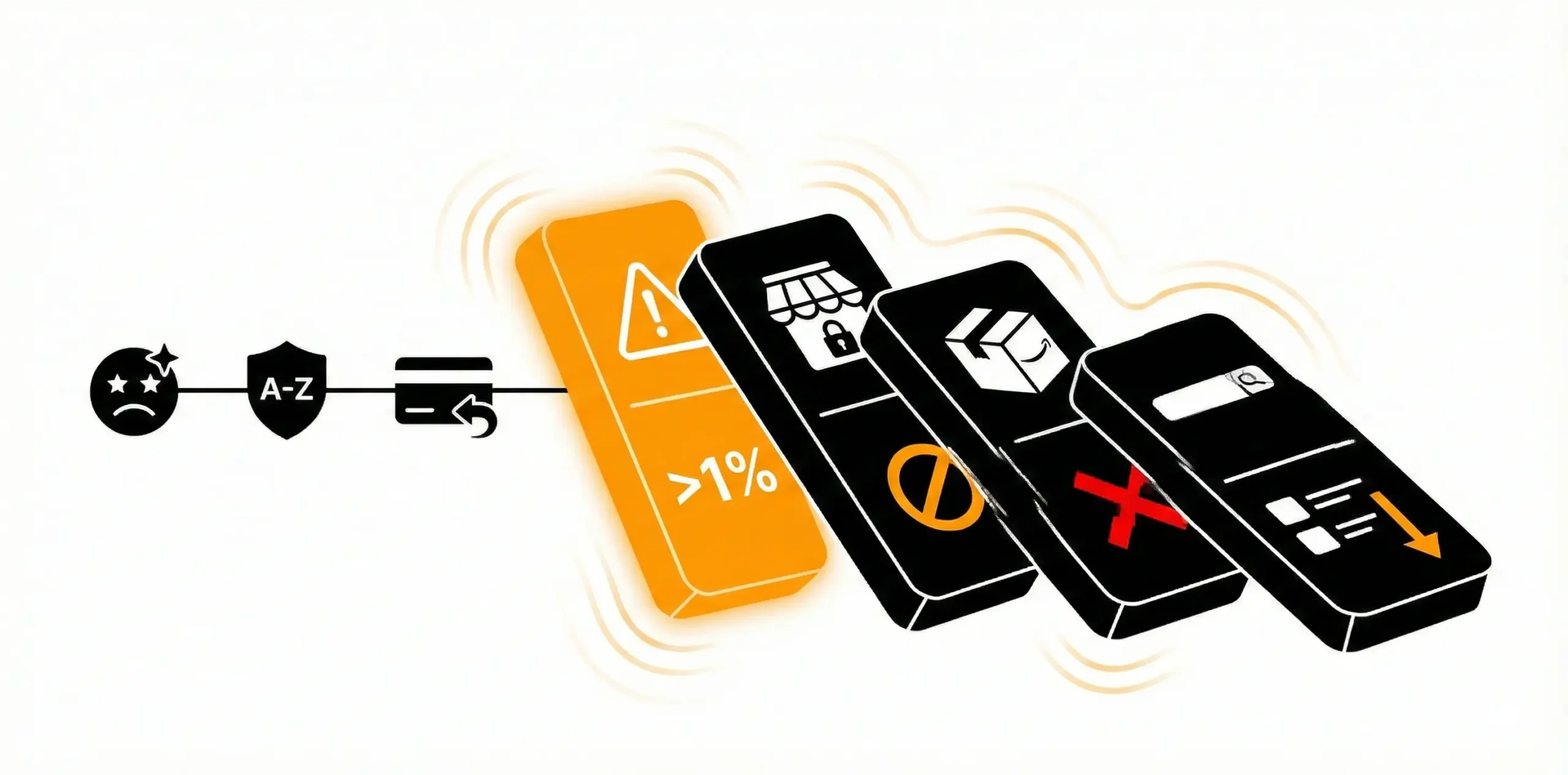
What the Amazon Escalation Team Is
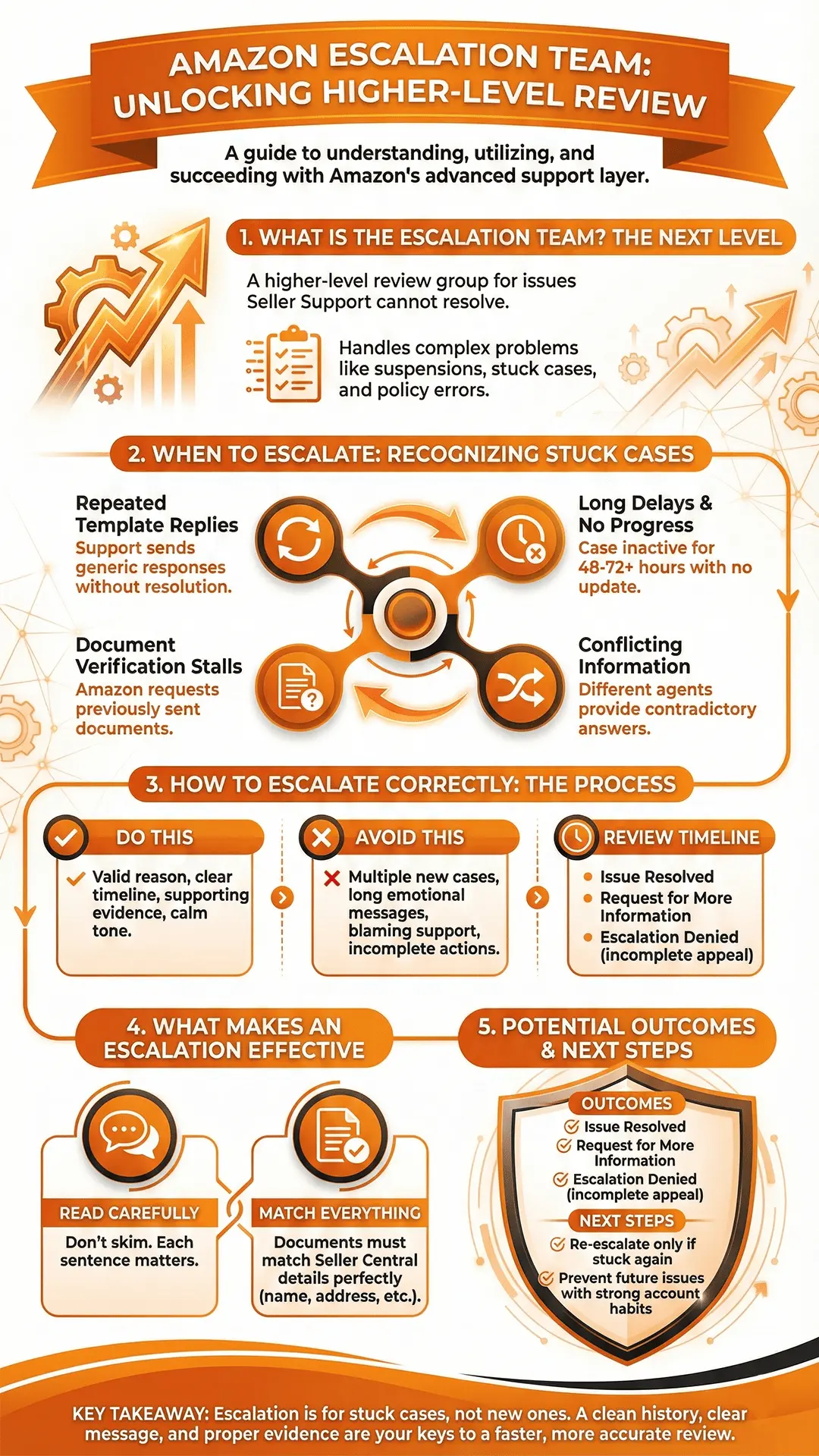
The Amazon escalation team is a higher level review group that steps in when Seller Support is not resolving an issue correctly or when a case needs deeper investigation. They handle problems that go beyond basic support tickets, such as unresolved account issues, suspended listings, delayed responses, or cases that have gone in circles with standard support.
We see at Amazon Account Reinstatement Service for most sellers, the escalation team becomes important when the normal support path stops moving forward. If you keep getting template responses, no resolution, or repeated requests for the same documents, the escalation team is the group that can step in and review the case with more authority.
When Sellers Actually Need to Escalate
Escalation is not for every minor issue. It is for situations where your business is at risk or where support is clearly stuck. Sellers usually turn to escalation when:
- A suspension appeal is ignored or receives repeated template replies
- Listing reinstatement requests remain unresolved for days
- Document verification stalls and no one explains what is missing
- Funds are held without clear reason
- Seller Support gives conflicting answers
- Multiple support agents close the case without fixing the problem
Escalating too early is not helpful, but escalating too late can cost sellers days of sales. The right approach is to escalate only after you have already followed the normal support path and the case has not moved forward within a reasonable time.
What an Escalation Can Actually Fix
Escalations help with issues that need a higher authority inside Amazon. They are useful for situations like:
- Account deactivation or suspension that needs a second review
- ASIN or product page reinstatement
- Incorrect policy flags
- Hijacked listings or catalog errors
- Verification problems
- Delayed appeals or unresponsive Seller Performance teams
- Repeated auto responses without real review
Escalation does not guarantee a reversal, but it ensures your case is seen by a team that can give a more accurate decision.
Why Support Sometimes Fails Before Escalation
Most sellers think the problem is their appeal or message, but the real issue is often how Amazon routes support requests internally. Standard Seller Support has limited access to account health data, suspension notes, or policy files. If they cannot reach the correct department or if the case is routed incorrectly, it produces:
- Template replies
- Contradicting answers
- Long delays
- Requests for documents you already sent
- Case closures without resolution
This is why escalation becomes necessary. You are essentially asking Amazon to move your case out of the regular queue and send it to a team that has the authority and visibility to fix it.
Understanding How Amazon Sees Escalations
Sellers often assume escalation is a complaint against support, but Amazon sees it differently. Escalation is treated as a request for higher-level review when the lower-level team cannot resolve the issue. When you escalate correctly, Amazon views it as part of the normal process for complex cases.
Escalations work best when they include:
- Clear reference to your original case
- A short summary of what went wrong
- Proof that you followed the standard support process
- A direct request for higher-level assistance
When you present your case calmly and clearly, the escalation team tends to respond faster and more effectively.
The Correct Way To Escalate Your Case Inside Amazon
Start With a Clean Case History
Before you escalate anything, make sure your original case history is organized and complete. Amazon checks your previous messages, so it helps when everything is documented properly. Keep the communication clear, keep emotions out of it, and avoid sending multiple replies in a row. When your case looks clean and professional, the escalation team is more likely to take it seriously.
A good case history should include:
- A short explanation of the issue
- The actions you already completed
- Any documents Amazon requested
- Direct answers to each question support asked
Avoid sending long messages or repeating the same information. Amazon needs clarity, not volume.
Check If Your Case Qualifies for Escalation
Escalation works best when the case has already gone through the normal support steps. You should escalate when:
- Your case has been inactive for more than 48 to 72 hours
- You are getting repeated template responses
- Support closes the case without fixing the problem
- Amazon keeps asking for the same documents
- You receive conflicting answers from different agents
- Your suspension appeal has not been reviewed
- Account health issues continue without an update
If the issue is something simple that support can normally fix within a day, escalation is unnecessary. Use escalation only when you are stuck.
Use Clear and Simple Language When Escalating
The amazon escalation team handles many cases daily. Long paragraphs or emotional messages slow the review process. A strong escalation message follows a simple structure:
- Short summary of the issue
- Case ID and reference numbers
- What support did so far
- Why the issue still remains
- What resolution you are requesting
The goal is not to argue or blame support. The goal is to help the reviewer understand the situation quickly so they can route your case to the right internal department.
Where to Submit Your Escalation
Different issues require different escalation channels. The correct path depends on the type of problem you are dealing with.
Account Health Dashboard
This is the most direct path when dealing with:
- Suspensions
- Policy violations
- Listing removals
- Performance metric issues
The Account Health team can review your case directly or route it to the Seller Performance team.
Seller Support Case Escalation Button
Some cases show an “Escalate” option within Seller Central after a support agent closes the case. This allows you to request a supervisor review.
Internal Transfer Through Support
You can request the case to be transferred to the correct department. Use phrases like:
“I would like this reviewed by the appropriate internal team that handles policy or performance issues.”
This often moves your case out of the standard queue.
Email Escalation to the Executive Team
This step is only for situations where:
- Your account is suspended
- Amazon is not responding for days
- Support is giving repeated incorrect information
- The issue impacts your entire business
Executive escalations must be written carefully since Amazon expects a short, serious message with facts only.
Sample Escalation Email Template
Here’s a basic example you can adapt:
To: Seller Performance Team Email ID
Subject: Escalation Request: Account Suspension for Suspected Inauthentic Products – Seller ID: XXXXX
Dear Amazon Seller Performance Team,
I am reaching out to request a review of our case (Case ID: XXXXXX) concerning the recent suspension of our account for suspected inauthentic products. We believe this action was made in error. To help with your review, we have attached all supporting documents, including our supplier invoices, contact details, and proof of product authenticity.
We take Amazon’s policies seriously and work hard to maintain compliance in every part of our operations. We kindly ask for clarification on the specific issue and a reconsideration of our account status based on the evidence we have provided.
Thank you for taking the time to review our case. We appreciate your attention and hope for a fair and timely resolution.
Sincerely,
[Your Full Name]
[Seller ID]
[Store Name]
[Phone Number]
[Email Address]
Attach the Correct Documents
An escalation without evidence usually slows the process. Always attach supporting documents when relevant. These may include:
- Invoices
- Supplier authorizations
- Shipping records
- Screenshots showing listing corrections
- Case history snapshots
- Previous Amazon responses
Make sure the documents are clear, readable, and complete. Amazon often rejects appeals because files were blurry, cropped, or missing details.
What Makes an Escalation Effective
Amazon reviewers look for three things in every escalation request:
- A valid business reason for escalation
- A clear timeline that shows you followed the proper steps
- Supporting evidence that justifies the request
You do not need long explanations or emotional messages. A calm, organized message is much more persuasive to Amazon than a frustrated one.
Avoid these Common Escalation Mistakes
Many sellers weaken their case by escalating incorrectly. Here are the most common mistakes:
- Opening multiple new cases instead of replying to the original one
- Sending long emotional messages
- Blaming support or Amazon
- Sending escalations without completing the required actions
- Providing incomplete or unclear documents
- Copying the same appeal repeatedly
- Escalating too soon
Amazon reacts faster when the request is reasonable, complete, and respectful.
What Happens After You Escalate and How to Get Better Results
What to Expect After Sending an Escalation
Once you escalate your case, Amazon reviews it manually. This review can be fast or slow depending on the issue. Some escalations are answered within a few hours, while others take several days. The main thing to remember is that escalation does not reset your case. Amazon checks your previous messages, your documents, and the work you completed before escalating.
During this review period, Amazon may reach out for extra details. They might ask for invoices, product images, identity documents, or a clearer explanation of your actions. Treat these requests as a good sign because it means your case is moving forward.
How Amazon Decides the Outcome
The amazon escalation team looks at three main points while reviewing your case:
- Whether the original issue was fully understood
- Whether your information and documents match what Amazon needs
- Whether your steps resolve the problem long term
If all three are clear, the review usually heads in your favor. If anything is missing or unclear, Amazon may delay the decision or send follow-up questions.
Most escalations end in one of these outcomes:
1. Issue resolved
Amazon fixes the problem, reinstates the listing, or reactivates your account.
2. Request for more information
Amazon needs one or two specific details before moving forward.
3. Escalation denied
This usually happens when something in the appeal was incomplete, mismatched, or not addressing the real cause.
A denial does not mean the issue is permanent. It simply means the escalation message did not meet Amazon’s requirements at that moment.
How to Follow Up Properly
If you do not hear back within a reasonable time, follow up once with a short message. Do not send multiple replies or open new cases. A clean follow-up helps move the review forward without overwhelming the reviewer.
A proper follow-up includes:
- Your case ID
- The date you escalated
- A one-sentence summary of the issue
- A request for an update
Keep it simple. Amazon responds faster to short, direct messages.
When It Makes Sense to Re-Escalate
Re-escalation should only happen when:
- Amazon sends repeated template replies after escalation
- Your case remains stuck for more than seven days
- You receive conflicting or incorrect information
- Amazon closes the case without answering your escalation request
Before re-escalating, make sure your documents are complete and your explanation is consistent. Amazon rarely responds positively to repeated escalations that say the same thing.
How to Prevent Problems Before They Reach Escalation
Most sellers rely on escalation because the original case was unclear or incomplete. You can reduce the need for escalation by building strong account habits, including:
- Keeping clean and accurate supplier documents
- Updating listings regularly
- Checking account health daily
- Responding quickly to customer messages
- Monitoring performance metrics
- Fixing small issues before they grow into larger ones
Amazon responds best when your account shows consistency and responsible management.
When You Should Not Escalate
Escalation is powerful, but it is not for every situation. You should avoid escalating when:
- The issue is new and support has not replied yet
- The case is still under review
- Amazon already told you the expected timeline
- You are missing documents required for review
Escalating too early can slow things down and create more confusion.
How AAR Services Helps With Escalation
If you are struggling to get Amazon to move your case forward, AAR Services can handle the full escalation process for you. Many sellers reach out to us when their cases stay stuck for days or when they do not know how to write a clear escalation request.
With AAR Services, you get:
- A clean, structured escalation message that Amazon understands
- Correct routing to the right internal team
- Review of your documents before submitting anything
- Guidance on follow-ups and next steps
- Support for appeals, reinstatement, and high-level Amazon issues
Sellers often come to us after trying multiple times on their own with no progress. Once we restructure the case and send a proper escalation, Amazon usually responds more clearly and quickly.
If you want help getting your case seen by the right team, you can reach out anytime. A strong escalation can save your account days or weeks of delays.