
When Amazon blocks a seller account, most people use the words deactivated and suspended as if they mean the same thing. In reality, they are two different situations, and understanding that difference is the first step to fixing the issue. Amazon is strict with compliance, so knowing what category your case falls into helps you respond with the right steps and avoid unnecessary delays.
A suspension normally happens when Amazon identifies a business-related issue such as performance problems, policy violations, or authenticity concerns. A deactivation usually happens when Amazon is unable to verify your business details, documents, or identity. Both stop your ability to sell, but the reasons and the recovery process are very different. This guide from https://www.amazonaccountreinstatementservice.com/ will help you understand the difference between suspension and deactivation.
What Does an Amazon Seller Suspension Mean?
A suspension is Amazon’s way of telling you that something in your operations needs immediate attention. Your listings stop showing, payments can be held, and your account health shows a major issue. Amazon uses suspension as a protective step for buyers and the marketplace, and they expect you to explain what went wrong and how you corrected it.
A suspension often comes from issues such as inconsistent product quality, recurring complaints, delivery problems, or policy violations. Amazon wants to see a clear Plan of Action that shows you’ve identified the root cause and fixed it. Once they are confident your account is stable, they allow you to sell again.
Common triggers for suspensions include:
- High order defect rate
- Too many customer complaints
- Selling items that don’t match the listing
- Intellectual property complaints
- Multiple accounts linked together
- Issues with authenticity or documentation
Suspension is not permanent unless Amazon specifies it. Most cases can be reinstated with a well-structured appeal.
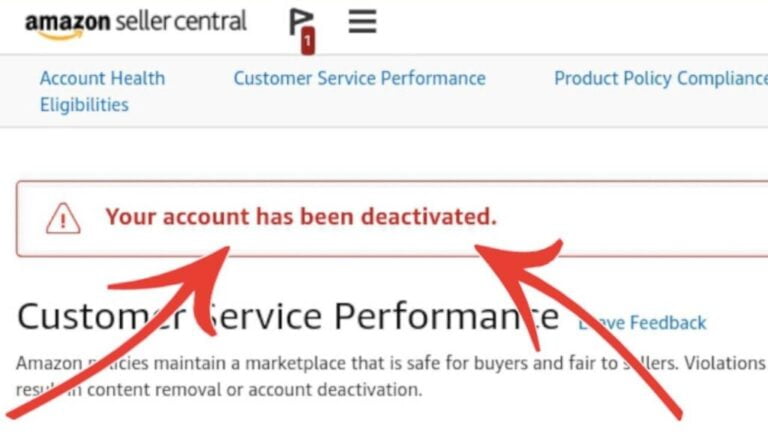
What Does Amazon Account Deactivation Mean?
Deactivation is different. This usually happens when Amazon cannot verify who you are or cannot confirm your business details. Instead of a performance or policy issue, the problem comes from missing or mismatched documents. You might have submitted blurry scans, outdated records, or information that does not match your business profile on Amazon.
Unlike a suspension, a deactivation often appears right after a verification request or during account setup. Amazon will not let you continue selling until they receive complete and accurate documents.
Typical reasons for deactivation include:
- Identity verification issues
- Missing tax or banking information
- Incorrect business documents
- Unverified supplier information
- Inactivity for long periods
In most cases, reactivation is straightforward once the correct documents are submitted.
Key Differences Between Amazon Suspension and Deactivation
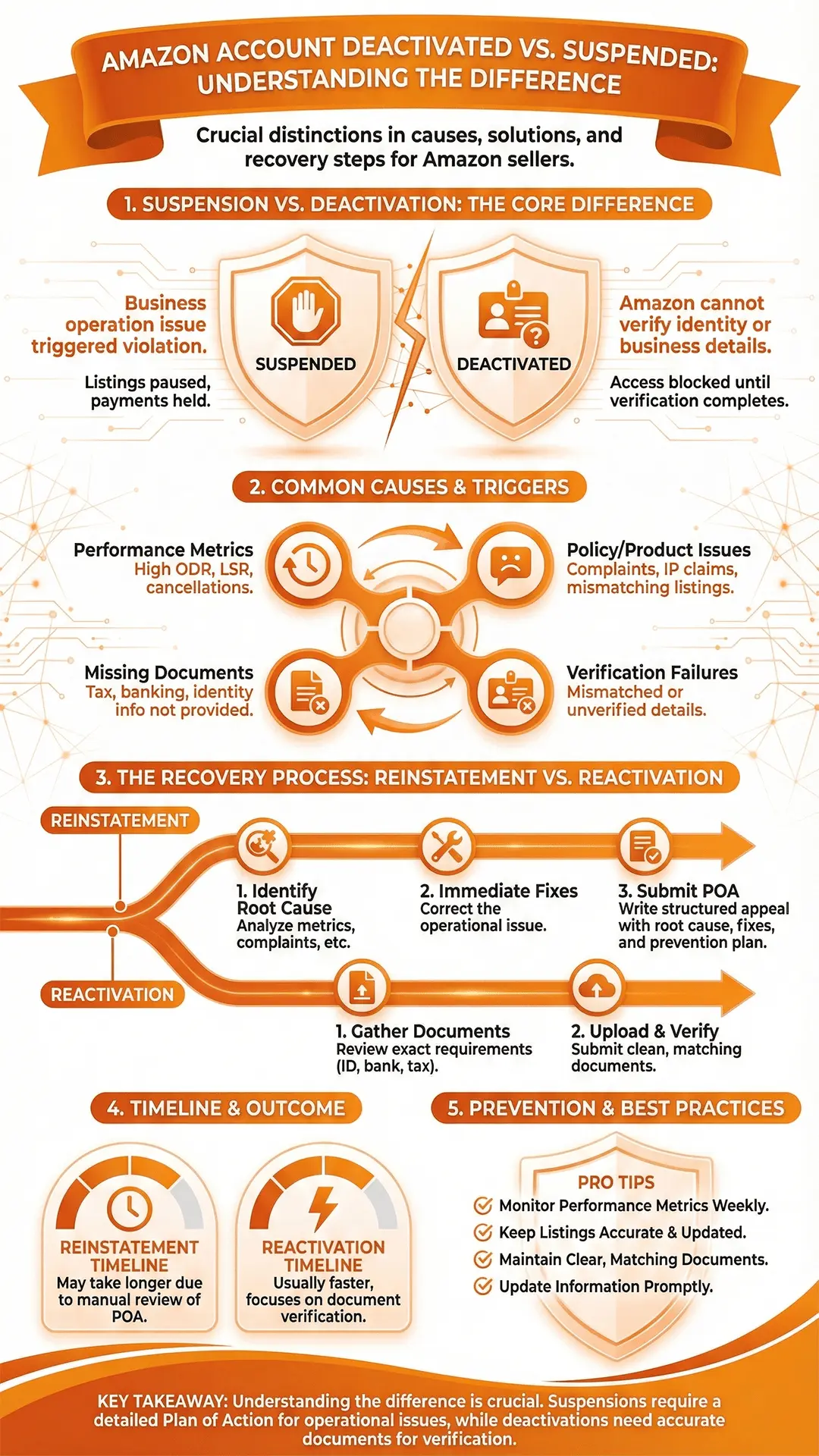
The two situations look similar on the surface because both stop your ability to sell, but the internal reason and Amazon’s expectations are not the same. Understanding this difference saves time and prevents submitting the wrong type of appeal.
Here’s the simple difference:
Suspended = something in your business operations triggered a violation.
You must provide a Plan of Action.
Deactivated = Amazon cannot verify information about you or your business.
You must provide correct documents.
Main differences you should know:
Reason behind the action
Suspended: performance or policy issues.
Deactivated: verification or information mismatch.
Type of response Amazon expects
Suspended: a detailed POA explaining the root cause and improvements.
Deactivated: clean and accurate documents.
Severity
Suspended accounts can impact your entire business if not handled carefully.
Deactivation usually resolves faster once documents are corrected.
Timeline
Suspensions may take longer due to review by Amazon’s internal teams.
Deactivations often move faster once proper documents are submitted.
What happens to your account
Suspended: listings and payments are paused.
Deactivated: Amazon blocks access until verification is complete.
Why Amazon Suspends Seller Accounts
Suspensions usually happen when Amazon believes something in your operations puts customers or the marketplace at risk. Sometimes the issue is obvious, like a spike in complaints, and other times it comes from small things that slowly build up. Amazon expects sellers to maintain steady performance and follow their policies at all times, so even a few repeated problems can trigger action.
Common reasons include:
- Low performance metrics such as ODR, LSR, or cancellation rates
- Product complaints about quality, missing parts, or misleading listings
- Intellectual property claims from brands or rights owners
- Policy violations linked to restricted products or prohibited actions
- Operating multiple linked accounts without approval
Most suspensions can be reinstated with the right appeal, but Amazon wants you to address the root cause, not just the surface issue.
Why Amazon Deactivates Seller Accounts
Deactivation is usually connected to verification problems rather than performance issues. Amazon needs accurate information about your business before allowing you to sell. If anything looks incomplete, mismatched, or unclear, they pause the account until you send the correct documents.
You might see deactivation for:
- Missing or expired identity documents
- Mismatched business names, addresses, or bank details
- Issues with tax information
- Unverified suppliers that trigger document reviews
- Long periods of inactivity on the account
The good news is that deactivation cases are usually solved by submitting clean, accurate documents that match perfectly across all fields.
What To Do If Your Amazon Account Gets Suspended
A suspension feels stressful, but your response matters more than the suspension itself. The key is to slow down, understand the issue, and build the right Plan of Action. Rushing usually leads to denials.
Read the suspension notice closely
This message tells you the category of the issue. It does not explain everything, but it points you in the right direction.
Identify the real root cause
Look at Amazon Seller Performance Metrics, complaints, listing details, supplier invoices, and past communication. Amazon wants accuracy, not guesses.
Fix the issue before writing the appeal
Your corrective actions must be real steps you actually completed. This shows Amazon you understood the issue and resolved it.
Create a clear Plan of Action
Your POA must include:
- What caused the problem
- What you fixed
- How will you prevent it long term
Submit the appeal through Seller Central
Use the correct form or Performance Notifications. Attach anything Amazon requested. Guide for amazon appeal letter
Wait for Amazon’s response
Review times vary. Amazon may approve, deny, or ask for more information.
A well-built POA increases the chances of reinstatement, even for complex cases.
What To Do If Your Amazon Account Gets Deactivated
Deactivation is usually resolved with documents, not a POA. Your goal is to match the information Amazon expects without errors or unclear details.
Steps to follow:
Review the exact documents Amazon wants
They usually specify ID, business verification, bank statements, or tax information.
Make sure everything matches
Your name, address, and business details should match across:
- Amazon Seller Central
- Legal documents
- Bank information
- Utility bills or supporting files
Upload clean and readable documents
Avoid blurry scans, cropped photos, and edited files. Amazon rejects anything unclear.
Wait for Amazon’s verification review
This process is usually faster than reinstatement for suspensions. If something is missing, Amazon will request it.
A correct document set almost always leads to reactivation.
Amazon Account Reinstatement vs Reactivation: Step-by-Step
The path forward depends on whether your account is suspended or deactivated. Both stop your selling privileges, but the recovery steps are not the same.
Reinstatement for Suspended Accounts
- Identify the root cause
- Fix the issue
- Write a structured POA
- Submit the appeal
- Respond to any follow-up questions
Suspensions require thoughtful explanations backed by real corrective actions.
Reactivation for Deactivated Accounts
- Gather the documents Amazon requested
- Match all information correctly
- Upload clean, valid documents
- Wait for Amazon’s verification
Reactivation focuses on accuracy, not operational changes.
How Long Does Reinstatement or Reactivation Take?
The timeline depends on the type of issue you’re dealing with. Suspensions often take longer because Amazon reviews your POA manually, while deactivations usually move faster once the correct documents are submitted. Even though Amazon does not promise fixed timelines, most cases follow a predictable pattern.
Typical suspension timelines
Most suspensions take longer because Amazon needs to confirm the root cause, verify your corrective actions, and decide whether your long term plan is strong enough. A simple performance issue might be resolved within a few days, while more complicated cases involving authenticity, IP complaints, or linked accounts may take longer.
Typical deactivation timelines
Deactivations often move quicker because the review focuses on documents. If everything matches and the files are clean, verification can take anywhere from a few hours to several days. If Amazon requests additional documents, the process may stretch longer, but it is still usually faster than dealing with a suspension.
What slows down the process
- Submitting unclear or mismatched documents
- Appeals that do not address the real root cause
- Missing supplier information
- Repeated appeals with the same information
- Delays in responding to Amazon’s follow up messages
The more accurate your first submission is, the faster Amazon can make a decision.
How to Prevent Amazon Suspension or Deactivation
Prevention is always easier than fixing a suspension. Most sellers run into problems because small issues slowly build up. If your operations stay consistent and your documents remain updated, your chances of running into trouble drop significantly.
To avoid suspensions, stay consistent with:
- Monitoring performance metrics like ODR, LSR, and cancellation rate
- Keeping listings clear, accurate, and updated
- Checking inventory quality before shipping
- Reviewing customer feedback regularly
- Handling complaints quickly and professionally
- Avoiding risky behavior such as review manipulation or prohibited products
Amazon rewards sellers who maintain strong account health and handle issues before they escalate.
To avoid deactivation, keep your documents ready and updated
- Make sure your legal name and address match across all platforms
- Keep bank statements current
- Maintain clear, readable identity documents
- Store supplier invoices and authorization letters safely
- Update tax information whenever your business changes
A clean document profile reduces verification issues in the future.
When You Should Get Professional Help
Some cases are simple and can be handled quickly on your own. Others involve complicated details that require a deeper understanding of Amazon’s internal requirements. The more serious the issue, the more important it is to avoid mistakes that could delay reinstatement.
Consider professional help if:
Your appeal was denied more than once
The suspension involves authenticity or intellectual property
- You received a “final decision” notice
- Amazon keeps requesting more documents and you’re unsure why
- Your seller account is linked with another suspended account
- Your business depends heavily on your Amazon revenue
- You don’t have time to rewrite appeals multiple times
A trained specialist can identify the real root cause and build a clear strategy that matches Amazon’s expectations.
Need Help Getting Your Account Back?
If your account is suspended or deactivated, acting quickly and accurately matters. A rushed appeal or incorrect documents can slow down the process or lead to unnecessary denials. At AAR Services, we help sellers understand the issue, fix the root cause, and prepare a strong submission that matches Amazon’s standards.
Whether you’re dealing with:
- A suspension caused by performance metrics
- Policy or product quality violations
- Intellectual property complaints
- Related account problems
- Document or verification deactivation
We can guide you through every step and work with you until your account is back on track. If you want a clear, structured plan and a faster path to reinstatement, our team is ready to help.