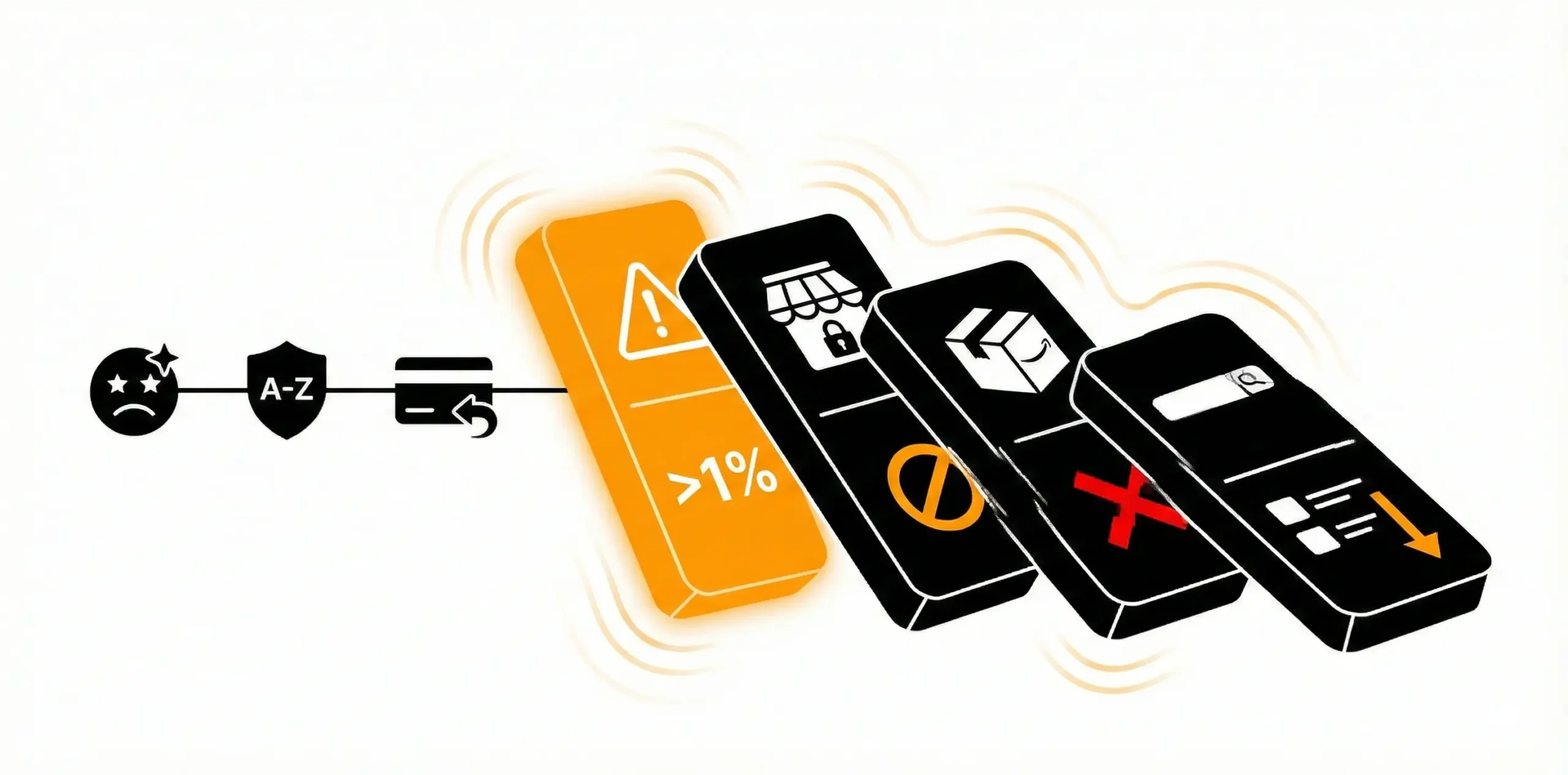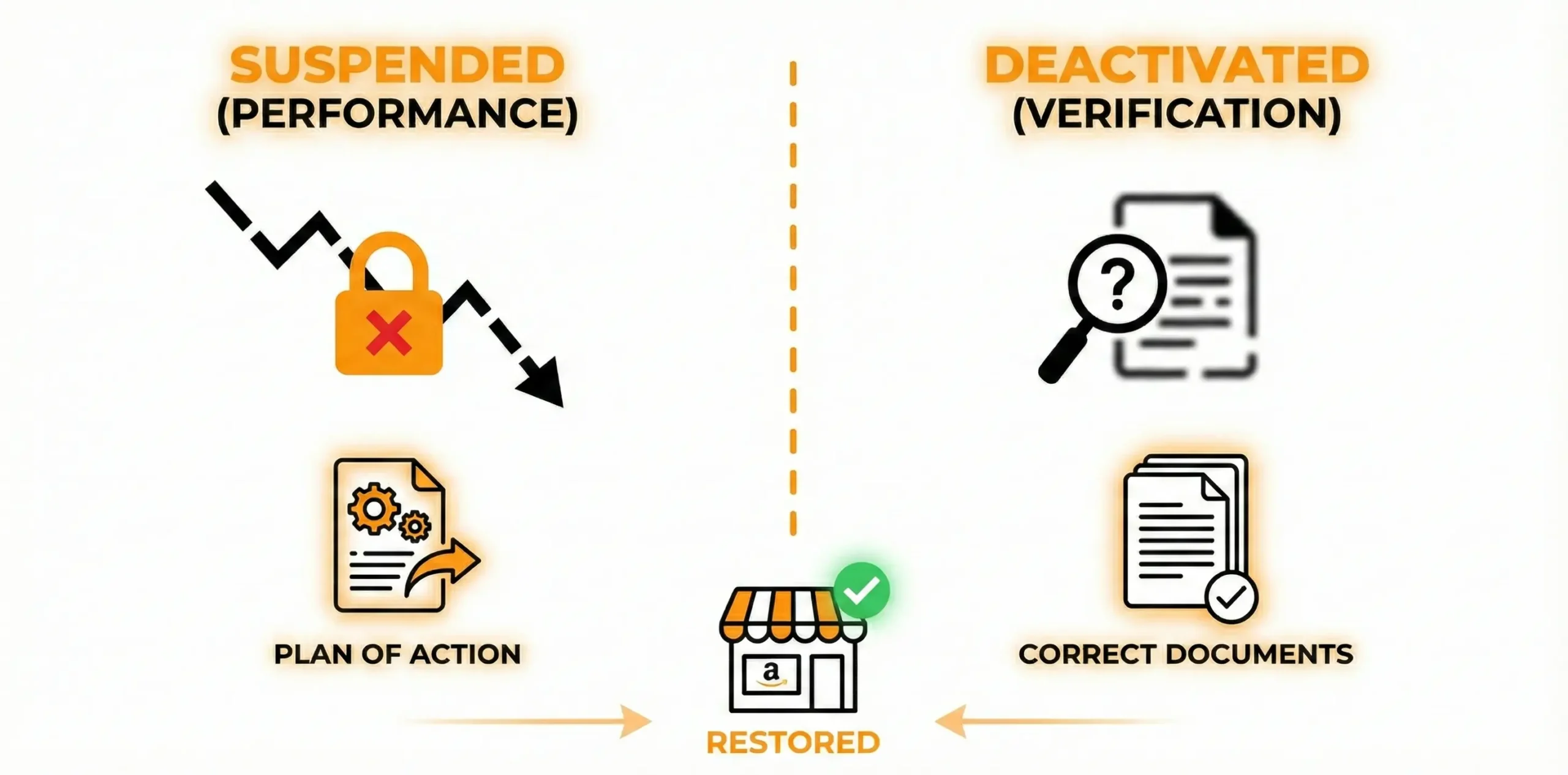
If you’re staring at a message saying your Amazon account is “under review,” you’re not alone. This situation happens to thousands of sellers every month, often without much warning. One day sales are normal, and the next day Amazon slows everything down to verify something about your business.
It’s stressful, yes but it’s not the same as getting suspended. A review simply means Amazon wants to confirm a detail, check a concern, or look at something closely before letting you continue selling at full speed. Once you understand how these reviews work and what Amazon is looking for, the process becomes far less intimidating.
This guide breaks down what “under review” actually means, what triggers it, and what you can do to get your account moving again. for professional help, Amazon Account Reinstatement Service can help.
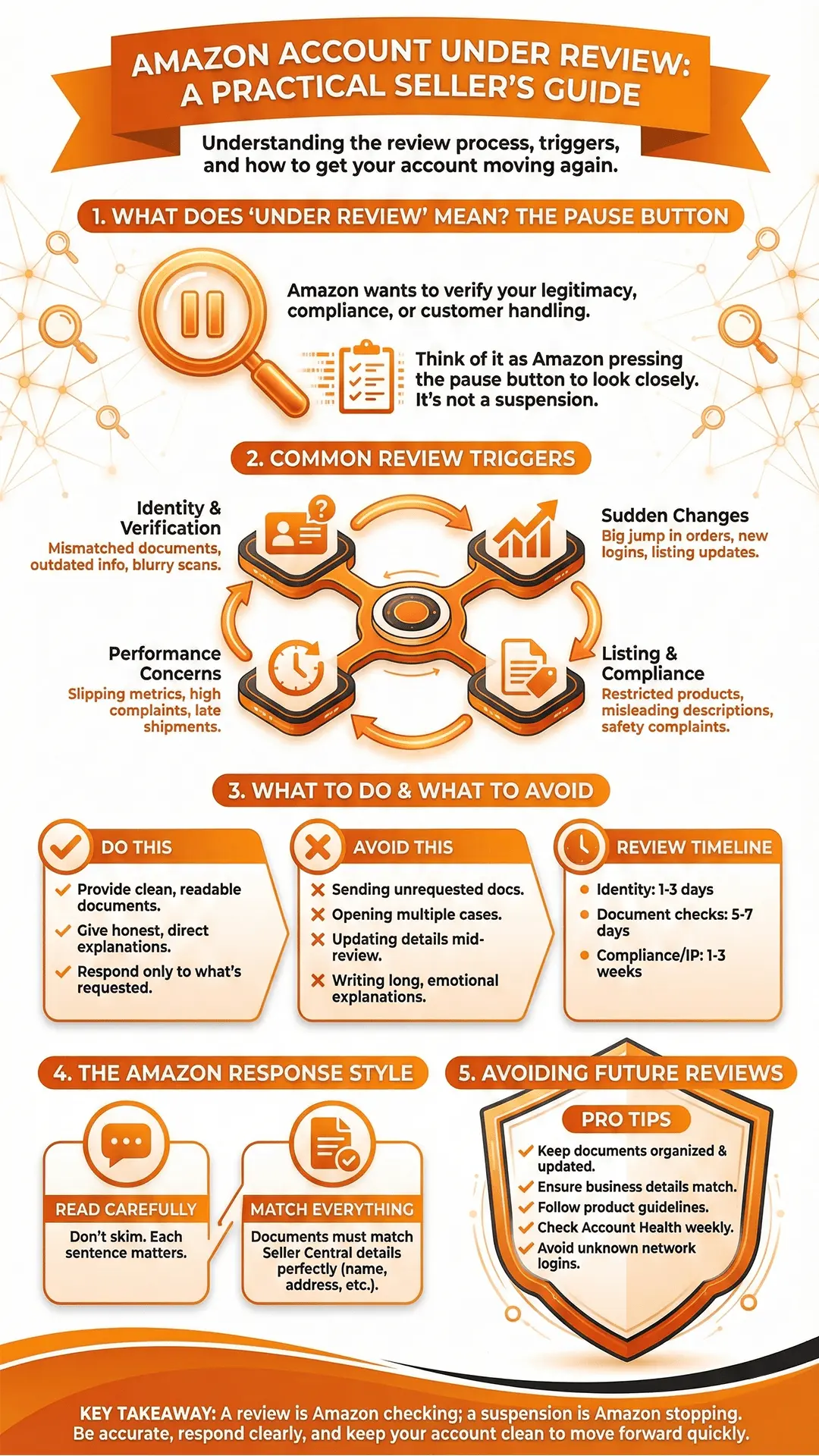
What an Amazon Account Review Really Means
Amazon reviews seller accounts for different reasons, but the goal is almost always the same: confirm that the business behind the account is legitimate, compliant, and handling customers properly.
A review can temporarily limit what you can do inside Seller Central. Sometimes payouts get delayed, listing creation gets restricted, or Amazon keeps asking for more documents.
It doesn’t always stop your entire business like a suspension does. Instead, think of it as Amazon pressing the pause button so they can look at something more closely.
Most sellers get out of review without long-term issues as long as their responses are clear and the documents they submit match what Amazon expects.
Why Amazon Puts an Account Under Review
There isn’t just one single trigger. Amazon uses automated systems, policy checks, and manual reviews to spot anything that looks unusual or inconsistent. A few very common situations tend to cause reviews:
Identity or Verification Issues
This is one of the biggest triggers. If Amazon sees something off in your business details or paperwork, they pause the account and ask you to verify your identity again.
This can happen if:
- You changed your address or banking info
- Your documents don’t match Seller Central details
- Your documents are older than Amazon accepts
- The uploaded scans are blurry or cropped
- The account was opened with inconsistent information
Amazon takes identity verification seriously, so even minor mismatches can trigger a review.
Sudden Changes in Activity
Amazon likes consistent behavior. If something changes too fast, their system flags it for a closer look.
This includes:
- A big jump in orders
- New logins from different countries or devices
- Different IP locations in a short timeframe
- Large updates to listings or catalog structure
Sometimes, nothing is actually wrong Amazon just wants to confirm the activity is legitimate.
Performance Concerns
If your metrics slip, Amazon may investigate before things get worse. Even a small spike in customer complaints can be enough to trigger a review.
Typical warnings include:
- High order defect rate
- Negative reviews coming in quickly
- Poor packaging or damaged items
- Too many late shipments
Amazon prioritizes customer experience, so they step in early to prevent bigger issues.
Listing Accuracy or Compliance Issues
A product listing that doesn’t align with customer expectations or Amazon’s rules can cause a review.
Examples:
- A restricted product being listed incorrectly
- Confusing or misleading product descriptions
- Certification issues in restricted categories
- Safety complaints from buyers
Amazon reviews the seller account until they confirm the products meet the required standards.
Related Account Flags
If Amazon believes your account is connected to another account with issues, they will launch a review.
This can happen because of:
- Shared Wi-Fi
- Same laptop or phone used for two seller accounts
- Similar bank information
- Business details that overlap
Many sellers get flagged accidentally because they used a shared network, hotel Wi-Fi, or worked with a freelancer who logged in from their device.
Intellectual Property Complaints
When brands file trademark, copyright, or authenticity complaints, Amazon often places your account under review to verify your products.
They may request:
- Invoices
- Letter of authorization
- Supply chain details
If these documents are clean and accurate, the review usually ends quickly.
Read more about Copyright Infringement
Early Signs Your Account Is Under Review
Amazon doesn’t always announce the review right away. In many cases, you’ll notice small changes before the message arrives.
Common signs include:
- Payouts delayed or held
- Listing creation errors
- ASINs going inactive without warning
- Requests for additional documents
- Account Health alerts showing new warnings
If you act early, you can sometimes resolve the issue before the review gets more serious.
What to Avoid When Your Account Is Under Review
Many sellers unintentionally make their situation worse because they panic or rush to respond.
Avoid:
- Sending documents Amazon didn’t request
- Opening multiple cases for the same issue
- Updating account details mid-review
- Using cropped or edited documents
- Writing long explanations that don’t answer Amazon’s questions
Amazon doesn’t want extra information. They want clarity.
What Amazon Wants From You During the Review
Amazon’s expectations are simple:
- Provide clean, matching, readable documents
- Give honest and direct explanations
- Respond only to what they requested
- Keep everything consistent with your Seller Central details
The cleaner your response is, the faster your review moves forward.
How Long Amazon Reviews Take & Why Some Take Longer
Seller reviews can be quick or slow depending on the reason behind them. Some sellers get out of review within a couple of days, while others wait weeks because the issue is more complex.
Here’s a general idea of the timelines:
- Simple identity verification: 1-3 days
- Document checks: 5-7 days
- Compliance or IP issues: 1-3 weeks
Amazon never guarantees a fixed timeframe, which is why being accurate from the beginning is critical.
Why Amazon May Hold Your Funds
A payout hold during a review is normal. Amazon wants to:
- Confirm customers received their orders
- Make sure no new complaints appear
- Avoid releasing funds before verification is complete
Once the review finishes and Amazon approves your account, payouts typically resume.
What Slows Down the Review
Your review may take longer if:
1. The documents don’t match your account information
For example:
- Different name
- Different address
- Mismatched business details
Amazon checks every detail carefully.
2. The images are unclear or cropped
Even a missing corner of a page can trigger a re-request.
3. Amazon sees multiple warnings on your account
Past issues sometimes force the investigator to take extra steps.
4. The account has multiple flags at once
For example: identity issue + listing complaint + performance alerts.
5. Your case is sent to a specialized Amazon team
Some teams respond slower than others.
How to Move the Review Faster
A few habits make a big difference:
- Upload clean, untouched documents
- Make sure your account address matches your documents
- Reply only through the same case thread
- Avoid changing anything in your account
- Watch Account Health daily for updates
These steps help prevent delays that many sellers run into.
The Amazon Appeal-Style Response You Need During a Review
Unlike a suspension, an account review doesn’t always require a full Plan of Action – but Amazon still expects you to respond correctly when they ask questions.
Here’s how to handle it:
1. Read the message carefully
Don’t skim it. Amazon’s requests are often short, but each sentence matters.
2. Gather the correct documents
Provide the exact files Amazon asks for nothing more.
3. Make sure everything matches
Your documents should show:
- Same name
- Same business details
- Same address
- Same banking info
Inconsistencies cause delays.
4. If Amazon asks for an explanation, keep it short
A simple, direct explanation works far better than long, emotional messages.
For example:
- “This login was done by me while traveling.”
- “This address was updated due to relocation, the document reflects the new address.”
Short answers build trust.
What Happens After You Submit Information to Amazon
Once you send Amazon what they need, the process moves into the review stage. Here’s how it usually unfolds.
Amazon Reviews Your Information
An investigator checks your documents and verifies everything matches your Seller Central details.
Amazon May Ask Follow-Up Questions
This doesn’t mean you’re in trouble. It means they’re still working on your case.
Amazon Makes a Final Decision
After reviewing everything, you’ll receive one of three outcomes:
- Approved: review closed, account continues normally
- Need more information: Amazon requests additional documents
- Suspension: if the review fails
If the case becomes a suspension, the next step is preparing a proper Plan of Action.
Is an Account Review the Same as a Suspension?
No, and this is an important distinction.
Account Under Review
- You may still have partial access
- Payouts might be delayed
- Amazon is verifying details
- Can be resolved quickly
Account Suspended
- Selling privileges stop completely
- Listings go inactive
- Funds stay frozen
- Requires a detailed Plan of Action
A review is Amazon checking; a suspension is Amazon stopping.
How to Avoid Future Account Reviews
Once your review is resolved, the best thing you can do is make sure it doesn’t happen again. A few simple habits make a big difference:
- Keep your documents organized and updated
- Make sure your business details always match
- Follow Amazon’s product guidelines
- Check Account Health at least twice a week
- Avoid logging in from unknown networks
- Keep listings accurate and up to date
Clean account management reduces Amazon’s need to verify you again.
When You Should Ask for Professional Help
Some cases are easy to fix yourself. Others can become complicated fast, especially when Amazon doesn’t explain what’s causing the delay.
You should consider professional help if:
- Amazon keeps asking for the same document
- Your case has been stuck for more than two weeks
- You can’t figure out the root cause
- The review turned into a suspension
- You’re handling verification or IP issues
A trained reinstatement team can identify the real trigger, prepare the right documents, and guide the process properly.
Need Help Getting Your Account Out of Review?
If your account is under review and nothing seems to move forward, AAR Services can step in and handle everything.
We check your account, identify the exact problem, prepare the right documents, and help you respond to Amazon correctly. So, your selling privileges can return faster.
You’re not alone in this.
Whenever you’re ready, we can take it from here.